Letter writing ·
Uppercase and Lowercase Name Writing Practice
Use a familiar name to compare capital and lowercase letter forms. Keep the usual spelling as the main model, then make a separate comparison page for a specific letter task.
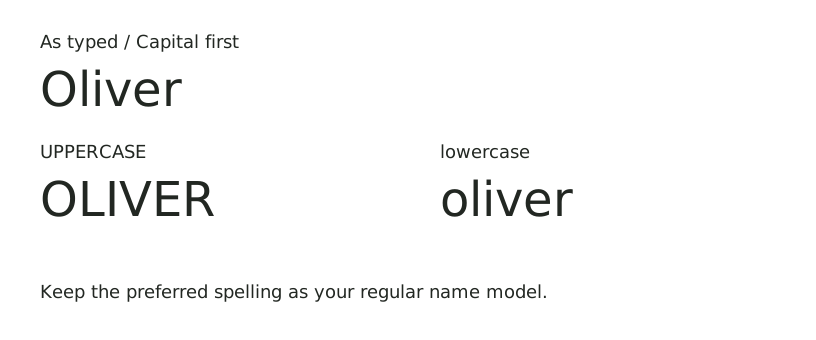
Start with the name the learner actually writes
Enter Oliver in the name worksheet maker and choose As typed. The worksheet will keep the capital O and the lowercase letters that follow. For a name such as McKenzie, As typed also preserves the internal capital K. Check the preferred name spelling before creating a practice page.
Capital first changes each word or segment after a space, apostrophe or hyphen to an initial capital followed by lowercase letters. It is a formatting shortcut, not a name-spelling checker. For example, it changes MCKENZIE to Mckenzie, so use As typed for McKenzie.
Make a capital-and-lowercase comparison
- Print one page with Oliver and As typed. Keep this as the regular name model.
- Switch Letter case to UPPERCASE. The preview becomes OLIVER. Print a separate comparison page.
- Place the two models next to each other. Point to the capital O at the start, then compare L and l, I and i, V and v, E and e, and R and r.
- On plain paper, write one selected pair in the handwriting style used in your classroom. Demonstrate its starting point and movement.
- Return to the usual name model and ask the learner to locate that lowercase letter within Oliver.
This is a name-based letter activity. The generator prints name worksheets; this guide uses plain paper for individual letter pairs. It does not provide an A–Z workbook or numbered stroke-order pages.
What each case setting prints
| Setting | Printed model |
|---|---|
| As typed | OLIVER |
| Capital first | Oliver |
| UPPERCASE | OLIVER |
| lowercase | oliver |
Use the all-lowercase version as a comparison, and label that activity clearly. For everyday name writing, return to the spelling and capitalization used for the learner’s name. A worksheet full of capitals serves a different task from practicing the usual mixed-case name.
Keep accents and name punctuation visible
José, Anne-Marie and O’Neill fit the supported input. Inspect the accent on é, the hyphen and the apostrophe in the preview. Say the name as the family uses it; a printed accent is part of the written name, not a decoration to remove for convenience.
Choose As typed to preserve the model you entered. Case conversion changes letters but keeps the separators. The tool supports Latin-script letters and accents. It uses one print font, ABeeZee, so compare its letter shapes with the model your school teaches before using it for formation practice.
Keep a letter activity focused
Choose one pair, demonstrate it on separate paper, then look for it in the name. If the learner is working on i, compare the lowercase i in Oliver with uppercase I in OLIVER. Finish by copying the usual name once. Record the pair practiced and keep the worksheet date visible so the next session starts from a specific task.
Should every name begin with a capital?
Use the person’s preferred spelling as your model. As typed gives you control over every letter, including names with more than one capital or a lowercase beginning.